Meta Description: Discover the Best Open Source AI Agents for Personal Use 2026. Compare AutoGPT, CrewAI, and local LLM setups for private, autonomous automation on your own hardware.
In 2026, the digital landscape has shifted from simple chatbots to autonomous “Action-Bots.” For the personal user, the era of paying $20/month for a restricted, cloud-locked AI is ending. Instead, the focus has moved toward Open Source AI Agents that run on your own hardware, respect your privacy, and execute complex workflows without human intervention.
Whether you are a developer looking for an open-source Devin alternative or a non-technical user wanting a “digital twin” to manage your schedule and research, the open-source ecosystem now offers power that rivals—and often exceeds—proprietary giants.
Why Open Source Agents are Winning in 2026
The transition to “Agentic” workflows means your AI doesn’t just talk; it does. Using the OODA loop (Observe, Orient, Decide, Act) and the ReAct Pattern, these agents can browse the web, execute code in sandboxed environments, and manage your local files.
For the mixed audience of 2026, the choice to go open source is driven by three “decision triggers”:
-
Data Sovereignty: Your personal emails, financial spreadsheets, and private thoughts stay on your local disk, not on a corporate server.
-
Zero Subscription Fees: By leveraging local LLM orchestration, you utilize your own GPU (like the NVIDIA RTX 50-series) instead of paying per-token costs to external providers.
-
Uncensored Innovation: Open-source frameworks allow for “Digital Twin” automation that isn’t hampered by the overly cautious safety filters of commercial models.
7 Best Open Source AI Agents for Personal Use 2026: Comparison Table
To help you choose the right tool for your specific hardware and skill level, here is a snapshot of the current leaders:
| Agent Framework | Best For | Architecture | Hardware Requirement | Skill Level |
| CrewAI | Multi-agent workflows | Role-based | Medium (16GB+ RAM) | Intermediate |
| AutoGPT (NextGen) | General autonomous tasks | Goal-oriented | High (NVIDIA GPU) | Beginner-Friendly |
| OpenDevin | Software Engineering | Git-native | Medium (M4 Mac) | Developer |
| Microsoft AutoGen | Conversational Swarms | Chat-centric | Medium | Developer |
| BabyAGI v2 | Simple task management | Adaptive loops | Low (Any Laptop) | Beginner |
| LangGraph | Complex logic/State | Graph-based | High | Advanced |
| LocalGPT | Private Document RAG | Vector-aware | Medium (NVIDIA GPU) | Intermediate |
1. CrewAI: The Best for Multi-Agent Orchestration
CrewAI has become the dominant framework for what we call Agent Swarms. Instead of one agent trying to do everything, you create a “Crew” of specialists—a Researcher, a Writer, and a Fact-Checker.
-
How it works: You define roles and goals for each agent. The framework handles the “handoffs” between them autonomously.
-
Why it’s for you: It is perfect for personal productivity, such as planning a global trip or managing a multi-channel content calendar. It uses stateful memory, meaning it remembers what it learned in step one when it reaches step ten.
2. AutoGPT (NextGen): The “Goal-Setting” Specialist
AutoGPT remains the most famous open-source agent because of its simplicity. You give it one high-level goal, such as “Find the best residential investment in Austin, TX under $500k,” and it breaks that down into sub-tasks.
-
Key Feature: Massive plugin support for 2026 web tools and tool-calling capabilities that allow it to interact with your local file system via Docker.
-
User Pain-Point Solved: It handles the “Reasoning” phase of the OODA loop better than almost any other single-agent system.
3. OpenDevin (Codium): The Open Alternative to Devin AI
For those looking for an autonomous coder, OpenDevin is the 2026 standard. It operates directly in your development environment, writing code, running tests, and fixing bugs.
-
Who it’s for: Personal developers or hobbyists building apps who want an agent that understands Git-native workflows.
-
Safety: It runs all code in an isolated container, preventing the agent from accidentally deleting your system files.
4. Microsoft AutoGen: The Conversational Powerhouse
AutoGen takes a different approach: it treats agents like they are in a group chat. It is the most flexible framework for “Brainstorming” and “Review-heavy” tasks where you want to be the “Human-in-the-loop.”
-
Scenario: You can have an agent suggest a business plan, while a “Critic Agent” finds flaws, and you (the User Proxy) give the final approval.
5. LocalGPT: The Privacy Gold Standard
If your main concern is GDPR/CCPA compliance or just general personal privacy, LocalGPT is the winner. It is designed to work with Retrieval-Augmented Generation (RAG) using 100% local models like Llama 4 or Mistral.
-
Use Case: Point it at your last 5 years of tax returns and bank statements to ask, “Where can I save $200 next month?” No data ever leaves your machine.
Hardware Matching: What Do You Actually Need?
A common “topical gap” in most AI reviews is failing to mention that these agents are resource-heavy. In 2026, “Local LLM Orchestration” requires specific hardware to avoid lag and “Agent Loops.”
The “NVIDIA RTX 50/60-series” Setup
-
Ideal for: AutoGPT, LangGraph, and running 70B parameter models.
-
VRAM: 16GB–24GB is the sweet spot.
-
Performance: Fast “First Token” speeds allow agents to reason in real-time.
The “Apple M4 Mac” Setup
-
Ideal for: CrewAI and OpenDevin.
-
Unified Memory: 32GB or more is highly recommended. Because Apple uses unified memory, the AI can access the RAM much faster than a standard PC.
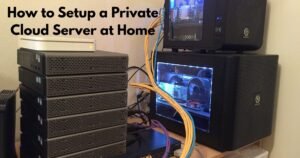
The “Home Server / Mini-PC” Setup
-
Ideal for: Running a 24/7 “Digital Twin” that manages your home IoT or schedules.
-
Requirement: A dedicated Linux box with at least 64GB of RAM and a high-bandwidth NVMe drive for Vector Databases.
Security First: The 2026 Agent Risk Assessment
As agents gain more autonomy, they also become targets. In 2026, OWASP Agentic Security standards are essential for personal use.
Expert Warning: Never give an AI agent your primary credit card or “Delete” permissions on your root directory without a “Human-in-the-loop” (HITL) confirmation gate.
Security Checklist for Personal Agents:
-
Docker Isolation: Always run agents inside a container. If an agent enters a “hallucination loop” and tries to delete files, it only affects the container.
-
SecureClaw Integration: Use 2026 security wrappers like SecureClaw to monitor for “Prompt Injection” attacks that might come from malicious websites the agent visits.
-
Least Privilege: Give the agent access only to the specific folders it needs to complete the task.
Common Mistakes: Why Your Agent Might Fail
-
Infinite Loops: Without a “Max Iterations” setting, an agent might spend $50 in API tokens (or 5 hours of electricity) trying to solve an impossible task.
-
Lack of Vector Memory: If your agent doesn’t have a Vector Database (like Pinecone or local Milvus), it will “forget” what it did in previous sessions, making it useless for long-term projects.
-
Model Mismatch: Trying to run a complex “reasoning” agent on a tiny 3B parameter model. Autonomous agents generally need at least a 14B or 70B model to stay on track.
FAQ:
1. What is the best free alternative to Devin AI?
OpenDevin and GPT-Pilot are the top open-source alternatives. They offer similar autonomous coding capabilities but allow you to use your own local LLMs to save on costs.
2. How do I run an autonomous AI agent on my own computer?
The most common way is via Docker. Most frameworks like AutoGPT and CrewAI provide a docker-compose.yaml file. You simply install Docker, run a command, and access the agent via your web browser.
3. Are open source AI agents safe for personal files?
They are safer than cloud AIs because the data stays local. However, you must use “Sandboxing” (like Docker) to ensure the agent doesn’t accidentally overwrite or delete important system files.
4. Which AI agent is best for personal coding in 2026?
OpenDevin is currently the leader for personal coding due to its deep integration with terminal environments and its ability to handle complex debugging cycles.
5. Do I need to be a programmer to use these?
Not necessarily. While tools like LangGraph require Python knowledge, AutoGPT and many “No-Code” wrappers for CrewAI allow you to manage agents through a simple chat or dashboard interface.
6. What is the “ReAct Pattern” in AI agents?
ReAct stands for Reason + Act. It is the logic that allows an agent to think about what it needs to do, use a tool (like a calculator or search engine), observe the result, and then think about the next step.
7. Can I run these agents on a standard laptop?
Simple agents like BabyAGI can run on a standard laptop. However, for “Action-heavy” agents that use multi-agent swarms, you will likely need at least 16GB of RAM and a modern processor.
Conclusion:
The “Best” open-source AI agent for you in 2026 depends entirely on your goal.
- If you want a team of experts to handle your business research, start with CrewAI.
- If you want a single, powerful assistant to browse the web for you, AutoGPT is the way to go.
- If privacy is your only priority, set up a LocalGPT instance on an NVIDIA-powered machine.